Note
This tutorial is generated from a Jupyter notebook that can be downloaded and run interactively.
Working with NumPy#
All data structures in CloudViewer are natively compatible with a NumPy buffer. The following tutorial generates a variant of sync function using NumPy and visualizes the function using CloudViewer.
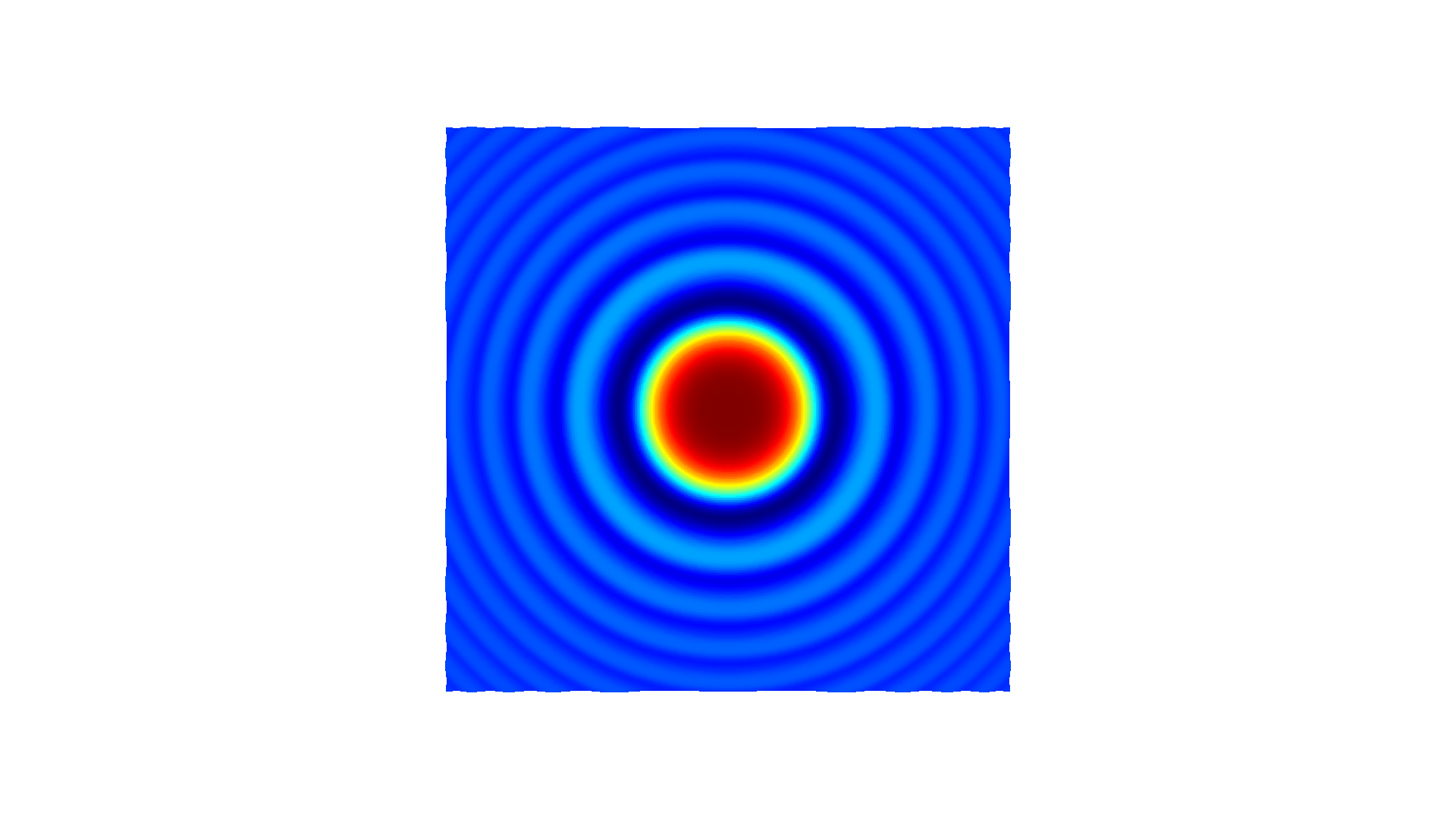
First, we generate a \(n \times 3\) matrix xyz. Each column has \(x\), \(y\), and \(z\) values of the function \(z = \frac{sin(x^2 + y^2)}{x^2 + y^2}\). \(z_\text{norm}\) is the normalized map of \(z\) for the [0,1] range.
[2]:
# Generate some neat n times 3 matrix using a variant of sync function
x = np.linspace(-3, 3, 401)
mesh_x, mesh_y = np.meshgrid(x, x)
z = np.sinc((np.power(mesh_x, 2) + np.power(mesh_y, 2)))
z_norm = (z - z.min()) / (z.max() - z.min())
xyz = np.zeros((np.size(mesh_x), 3))
xyz[:, 0] = np.reshape(mesh_x, -1)
xyz[:, 1] = np.reshape(mesh_y, -1)
xyz[:, 2] = np.reshape(z_norm, -1)
print('xyz')
print(xyz)
xyz
[[-3.         -3.          0.17846472]
 [-2.985      -3.          0.17440115]
 [-2.97       -3.          0.17063709]
 ...
 [ 2.97        3.          0.17063709]
 [ 2.985       3.          0.17440115]
 [ 3.          3.          0.17846472]]
From NumPy to cloudViewer.ccPointCloud#
CloudViewer provides conversion from a NumPy matrix to a vector of 3D vectors. By using Vector3dVector, a NumPy matrix can be directly assigned to cloudViewer.ccPointCloud.points.
In this manner, any similar data structure such as cloudViewer.ccPointCloud.colors or cloudViewer.ccPointCloud.normals can be assigned or modified using NumPy. The code below also saves the point cloud as a ply file for the next step.
[3]:
# Pass xyz to CloudViewer.cv3d.geometry.ccPointCloud and visualize
pcd = cv3d.geometry.ccPointCloud()
pcd.set_points(cv3d.utility.Vector3dVector(xyz))
cv3d.io.write_point_cloud("sync.ply", pcd)
[3]:
True
From cloudViewer.ccPointCloud to NumPy#
As shown in this example, pcd_load.points of type Vector3dVector is converted into a NumPy array using np.asarray.
[4]:
# Load saved point cloud and visualize it
pcd_load = cv3d.io.read_point_cloud("sync.ply")

# Convert CloudViewer.cv3d.geometry.ccPointCloud to numpy array
xyz_load = np.asarray(pcd_load.get_points())
print('xyz_load')
print(xyz_load)
cv3d.visualization.draw_geometries([pcd_load])
os.remove("sync.ply")
xyz_load
[[-3.         -3.          0.17846473]
 [-2.9849999  -3.          0.17440115]
 [-2.97000003 -3.          0.17063709]
 ...
 [ 2.97000003  3.          0.17063709]
 [ 2.9849999   3.          0.17440115]
 [ 3.          3.          0.17846473]]
[CloudViewer WARNING] GLFW Error: X11: The DISPLAY environment variable is missing
[CloudViewer WARNING] GLFW initialized for headless rendering.